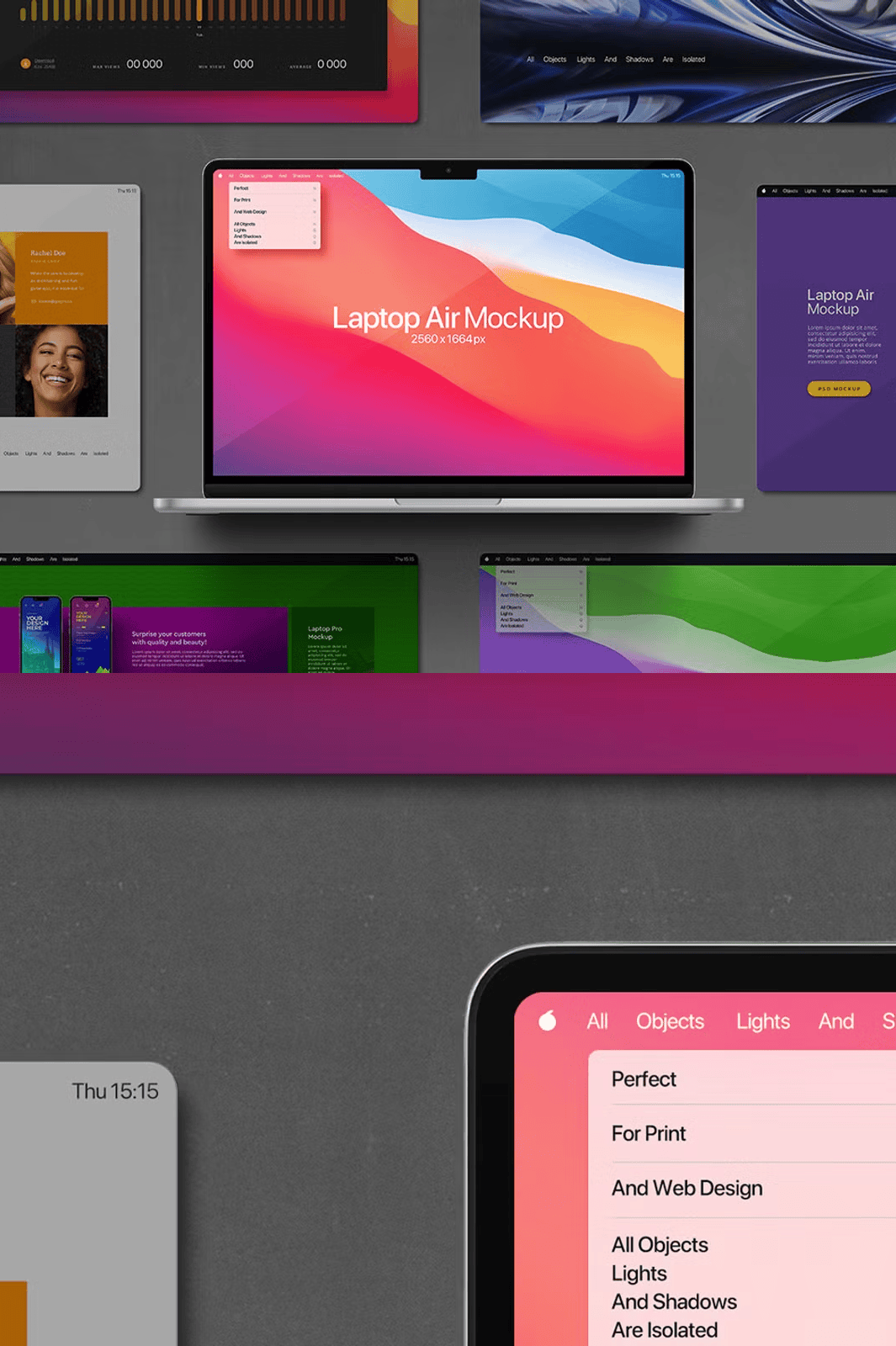
Immerse Your Audience with Six Realistic Studio-Grade Scenes
Supercharge your visual presentations with the **MacBook Air Mockup Presentation**, a premium collection of six meticulously crafted, high-resolution images captured in our professional studio environment. Each scene highlights the sleek, modern design of the MacBook Air in dynamic, natural settings—resting gently on a wooden desk, opened to reveal its pristine display, or placed beside a coffee mug and notebook to suggest real-world workflow integration. These photos use controlled lighting to showcase the machine’s reflective surface, precise edges, and minimal bezel, delivering unmatched realism. The 5000x5000px resolution ensures crisp detail at any scale, making this ideal for large-screen presentations, print brochures, or digital campaigns where visual precision matters.
Effortlessly Customize Every Detail with Advanced Photoshop Smart Objects
Take full creative control using **fully editable Adobe Photoshop Smart Objects**. Simply double-click the smart layer to insert your own design, app interface, presentation slide, or product mockup—your content appears instantly in the correct scale, perspective, and shading, without manual adjustment. The intelligent layer structure separates key elements for independent manipulation, giving you unprecedented flexibility. Adjust background colors, swap textures like marble, concrete, or pastel gradients, modify lighting intensity and direction, and fine-tune shadows—all within minutes. Whether you’re pitching to investors, launching a new website, or building a brand portfolio, this mockup turns ideas into compelling visuals with minimal effort.
Advanced Layer Organization for Peak Efficiency
Each PSD file is built with professional-grade organization to streamline your workflow:
- Isolated foreground objects—the MacBook Air, its lid, and ambient accessories are separated into their own layers for independent editing.
- Dynamic light and shadow layers—adjust brightness, angle, or softness while preserving natural depth and realism.
- Replaceable background layers—switch between minimalist white, warm walnut, or soft gradient backgrounds to match your theme or client branding.
- Preserved non-removable shadows—ensure realistic casting and depth, even when modifying content or background.
- High-resolution 5000x5000px assets—perfect for 4K displays, large-format printing, and premium digital portfolios.
This structure ensures compatibility with **Adobe Photoshop CC 2020 or later**, and is optimized for seamless integration into any design or presentation workflow.
Dominate Any Medium: From Client Pitches to Digital Campaigns
Whether you’re delivering a keynote, building a website, or creating social media content, this mockup delivers results across platforms:
- Boost credibility in client presentations with visuals that feel authentic and production-ready.
- Accelerate e-commerce listing creation for tech brands, digital product vendors, or app developers.
- Build consistent branding across web, print, and video with a reusable, professional template.
- Enhance portfolios and case studies with dynamic scenes that highlight product features in context.
The MacBook Air is shown as a tool for creation, not just a device—adding narrative depth that resonates with audiences and improves engagement, trust, and conversion rates.
Essential Technical Information and Usage Guidelines
For best results, use **Adobe Photoshop CC 2020 or higher**. This mockup is **not compatible** with:
- Photoshop for iPad
- Canva
- Procreate
- Figma (without export)
All layers are locked except the smart object layer—you cannot add or remove real-world objects like pens, books, or glasses. The original artwork and content are not included; you supply your own design for integration. Shadows and lighting are fixed but adjustable in tone for enhanced realism.
Download the MacBook Air Mockup Presentation Now
Need help? Our support team is ready to guide you through setup, layer management, or customization tips—because your success is our priority.