

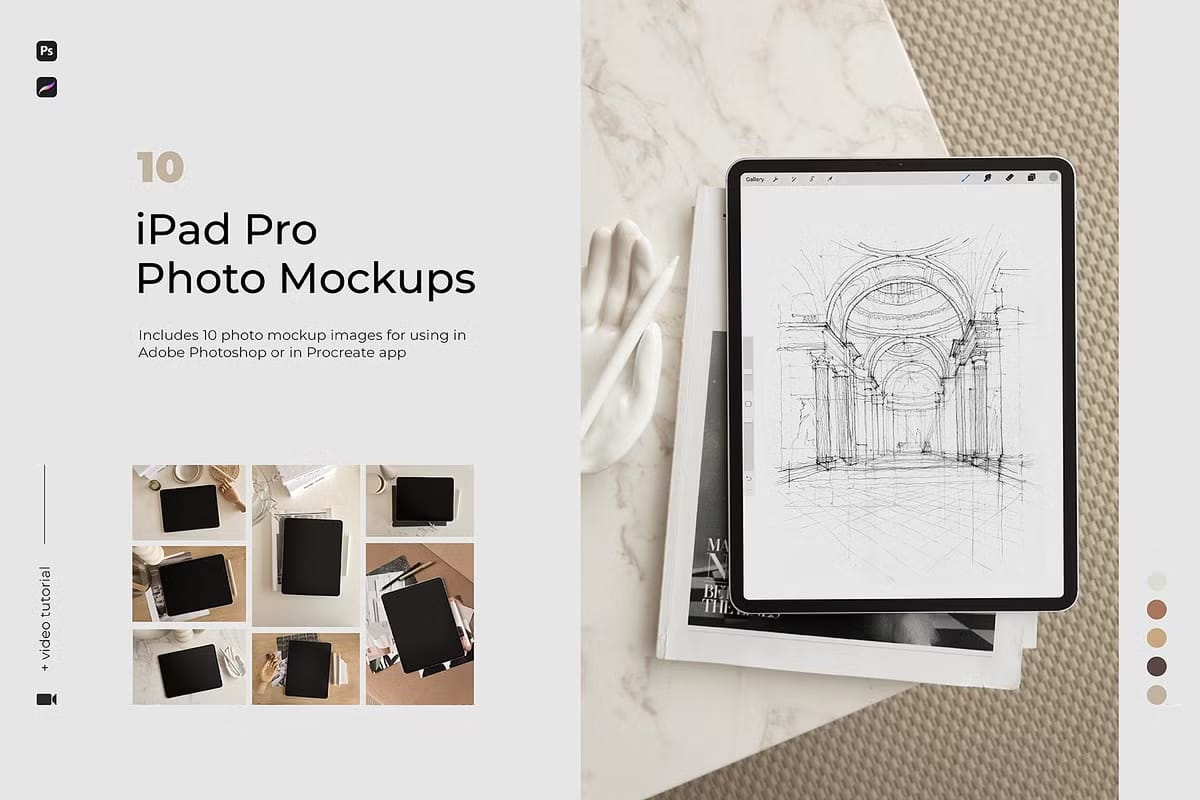
The iPad Pro Photo Mockups with Apple Pencil collection offers a premium set of photo-realistic flat lay mockups designed to help creatives present their digital artwork, websites, apps, and other design projects with exceptional clarity and style. This versatile pack features 10 stylish mockups rendered in trendy natural color palettes, providing a sophisticated and modern backdrop that enhances the visual appeal of your work.
Comprehensive Features for Effortless Customization
This collection includes both horizontal (4500 x 3000 pixels) and vertical (3000 x 4500 pixels) orientations, giving you the flexibility to choose the best layout for your project. The files are fully organized and compatible with Adobe Photoshop (.PSD) and the popular Procreate app (.procreate), allowing seamless integration into your preferred creative workflow.
Key Features of the iPad Pro Photo Mockups
- 10 High-Resolution Flat Lay Mockups: Diverse scenes that highlight your designs in natural, trendy color schemes.
- Multi-Platform Compatibility: Prepared for use in both Adobe Photoshop and Procreate, catering to different creative preferences.
- Easy Screen Replacement: Replace the iPad screen content effortlessly with your own designs using smart object layers.
- Fixed Objects and Shadows: Objects and shadows are fixed to maintain realism and consistency; only the screen image is replaceable.
- Organized Layers: Well-structured files make editing straightforward and efficient.
- Natural Color Palette: The warm, neutral tones create an inviting atmosphere that complements a wide range of design styles.
Why Choose the iPad Pro Photo Mockups with Apple Pencil?
This mockup collection is ideal for designers, illustrators, and digital artists who want to present their work in authentic, lifestyle-inspired settings. Whether you are showcasing a new app interface, website design, or hand-drawn artwork created on the iPad, these mockups provide a polished and engaging platform that resonates with clients and audiences alike.
The inclusion of both Photoshop and Procreate files ensures that you can work efficiently across devices and software, streamlining your creative process and saving valuable time.
How to Use the iPad Pro Photo Mockups
Using these mockups is simple and user-friendly. For Procreate users, follow this tutorial to insert your designs: Procreate Tutorial. Photoshop users can refer to this guide: Photoshop Tutorial.
Open the mockup file in your chosen software, locate the smart object or designated layer for the iPad screen, and replace the placeholder with your own design. Save your changes, and your artwork will appear seamlessly integrated into the mockup scene.
Expand Your Creative Toolkit
If you enjoy this collection, you may also like BALANCE | iPad Mockups for Photoshop & Procreate, another versatile set designed to elevate your presentations.
For any questions or support, feel free to contact the creator directly at katsia.jazwinska@gmail.com. Your satisfaction and creative success are the top priorities.




